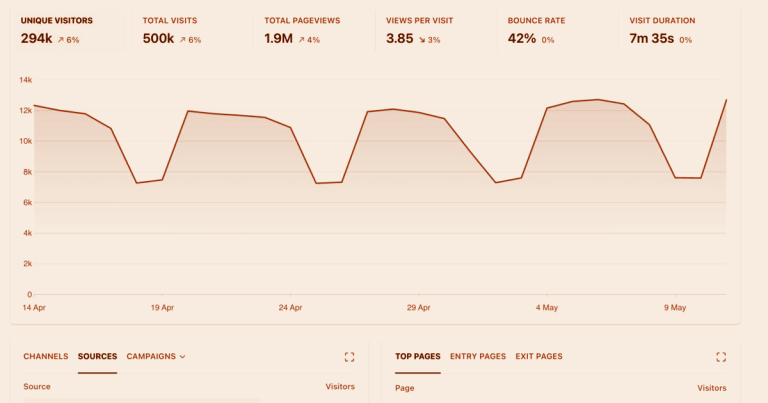

Client-side analytics is dying. Ad blockers strip tracking scripts from 30-40% of pageloads. Safari’s ITP caps cookie lifetimes at 7 days. Firefox blocks known trackers by default. And every cookie consent banner you show costs you 8-15% of your data.
The fix? Move your tracking to the server. Server-side tracking collects data on your infrastructure — not in the visitor’s browser — giving you more accurate data, better performance, and full control over what gets sent where.
I’ve implemented server-side tracking for clients ranging from WordPress blogs to high-traffic SaaS platforms. This guide covers the practical “how” — with real nginx configs, code examples, and architecture decisions — not just the theory.
How Server-Side Tracking Works
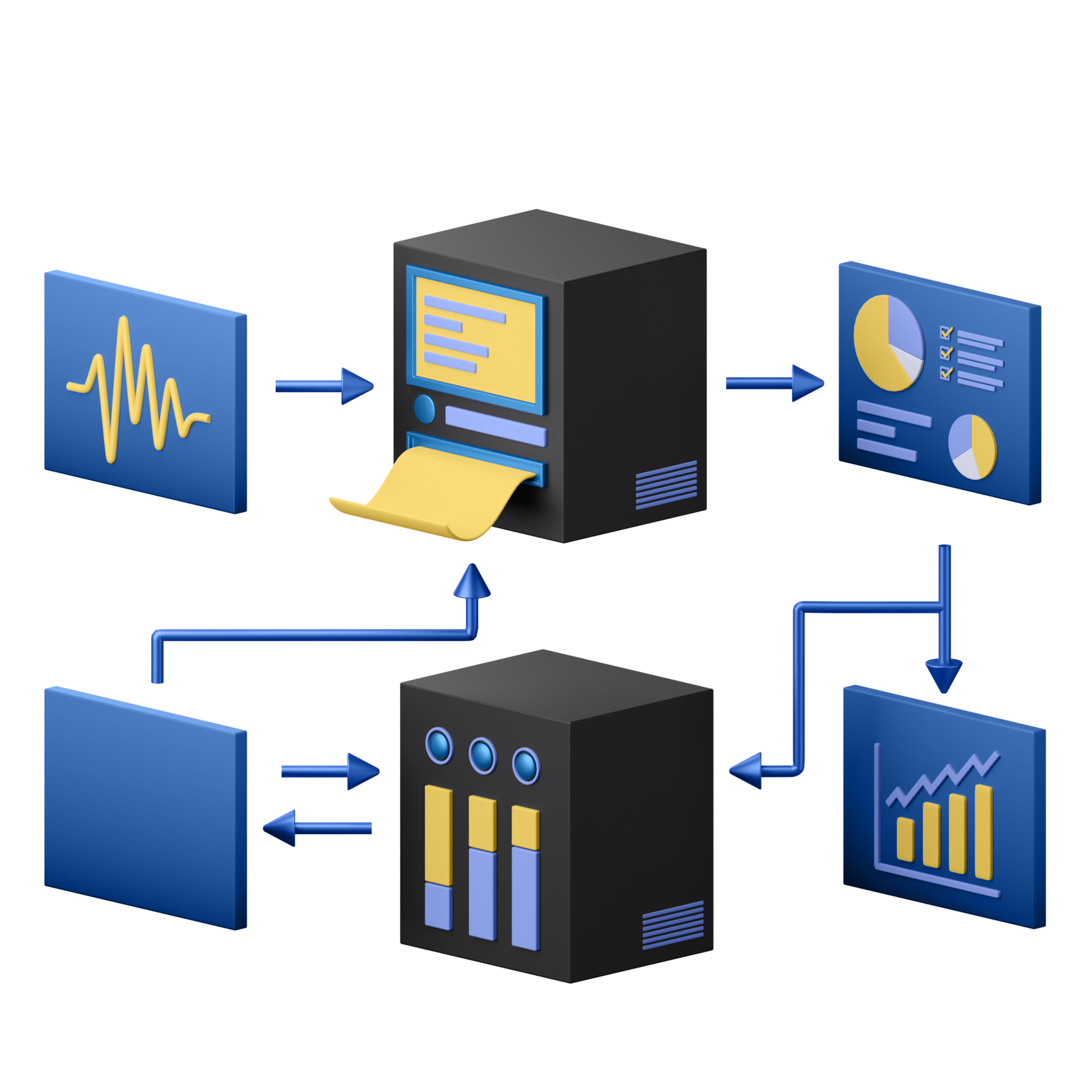
In traditional client-side tracking, the browser loads a JavaScript file from your analytics provider (e.g., plausible.io/js/script.js), runs it, and sends data directly to the provider’s servers. The problem: anything between the browser and the provider can interfere — ad blockers, privacy extensions, corporate firewalls, browser policies.
Server-side tracking changes this flow:
- The browser loads the tracking script from your own domain (e.g.,
yourdomain.com/js/script.js) - Data is sent to your own endpoint (e.g.,
yourdomain.com/api/event) - Your server receives the data, optionally filters or enriches it, then forwards it to the analytics provider
Because everything happens on your domain, ad blockers can’t distinguish tracking requests from regular page resources. The result: near-100% data capture.
Three Levels of Server-Side Tracking
Not every implementation needs to be complex. Here’s how I categorize the approaches:
| Level | Method | Complexity | Data Accuracy | Best For |
|---|---|---|---|---|
| 1. Reverse Proxy | Proxy analytics script and API through your domain | Low (nginx config) | 90-95% | Most websites |
| 2. Server-Side Tagging | Run a tagging container on your server (GTM SS, Matomo Tag Manager) | Medium | 95-99% | Marketing teams with multiple tools |
| 3. Full Server-Side Collection | Log analytics events directly from your backend code | High | 99-100% | Apps, SPAs, API-driven products |
For most websites, Level 1 (reverse proxy) gives you 80% of the benefit with 20% of the effort. That’s where we’ll start.
Level 1: Reverse Proxy Setup (Nginx)

A reverse proxy serves the analytics script and forwards tracking data through your own domain. Here’s how to set it up for the most popular privacy-first tools.
Plausible Analytics via Nginx Proxy
Add this to your nginx server block:
# Serve Plausible script from your domain
location = /js/visit.js {
    proxy_pass https://plausible.io/js/script.js;
    proxy_set_header Host plausible.io;
    proxy_ssl_server_name on;

    # Cache the script for 6 hours
    proxy_cache_valid 200 6h;
    proxy_cache_use_stale error timeout;
}

# Proxy the event API
location = /api/event {
    proxy_pass https://plausible.io/api/event;
    proxy_set_header Host plausible.io;
    proxy_set_header X-Forwarded-For $remote_addr;
    proxy_ssl_server_name on;
}
Then update your tracking script to use local paths:
<script defer data-domain="yourdomain.com"
  data-api="/api/event"
  src="/js/visit.js"></script>
That’s it. Plausible now loads from your domain. Ad blockers that target plausible.io won’t catch it.
Matomo via Nginx Proxy
For Matomo Cloud (or a separate self-hosted instance):
# Proxy Matomo tracking script
location = /stats/matomo.js {
    proxy_pass https://your-matomo.matomo.cloud/matomo.js;
    proxy_set_header Host your-matomo.matomo.cloud;
    proxy_ssl_server_name on;
    proxy_cache_valid 200 6h;
}

# Proxy tracking endpoint
location = /stats/matomo.php {
    proxy_pass https://your-matomo.matomo.cloud/matomo.php;
    proxy_set_header Host your-matomo.matomo.cloud;
    proxy_set_header X-Forwarded-For $remote_addr;
    proxy_ssl_server_name on;
}
Update the tracking code accordingly:
var u = "/stats/";
_paq.push(['setTrackerUrl', u + 'matomo.php']);
// Script src: /stats/matomo.js
Fathom Analytics via Nginx Proxy
# Proxy Fathom script
location = /js/fathom.js {
    proxy_pass https://cdn.usefathom.com/script.js;
    proxy_set_header Host cdn.usefathom.com;
    proxy_ssl_server_name on;
    proxy_cache_valid 200 6h;
}

# Proxy tracking API
location /api/fathom/ {
    proxy_pass https://collect.usefathom.com/;
    proxy_set_header Host collect.usefathom.com;
    proxy_set_header X-Forwarded-For $remote_addr;
    proxy_ssl_server_name on;
}
After setting up any proxy, always reload nginx:
nginx -t && systemctl reload nginxWhen I set up a Plausible proxy for a tech blog, their tracked pageviews increased by 32% overnight. That wasn’t “new traffic” — it was traffic that had always been there but was being blocked by uBlock Origin and Brave’s built-in shields.
Level 2: Server-Side Tagging

When you need to feed data to multiple platforms — analytics, ad networks, CRM — a reverse proxy gets messy. This is where server-side tagging containers shine.
The concept: instead of loading 5-10 scripts in the browser, you load one lightweight script that sends data to your server. Your server then distributes that data to each platform via their APIs.
Options for Server-Side Tagging
| Platform | Cost | Pros | Cons |
|---|---|---|---|
| Google Tag Manager SS | Free (+ server cost) | Familiar UI, large community | Runs on Google Cloud, ironic for privacy |
| Matomo Tag Manager | Free (with Matomo) | Integrated, privacy-first | Matomo-ecosystem only |
| Stape.io | From $20/month | Managed GTM SS, EU hosting | Third-party dependency |
For privacy-focused setups, I lean toward Matomo Tag Manager if you’re already on Matomo. It keeps everything in one ecosystem. If you need to feed data to ad platforms too, a self-hosted GTM Server-Side container on a EU VPS works well — just don’t host it on Google Cloud if the whole point is leaving Google’s ecosystem.
Level 3: Full Server-Side Collection
The most accurate approach: log events directly from your application code. No client-side JavaScript at all.
This works best for:
- Single Page Applications where you control all navigation events
- API-driven products (dashboards, SaaS tools)
- Mobile apps with web landing pages
Example: Server-Side Pageview with Plausible API
# Python example — send pageview from your backend
import requests

def track_pageview(request):
    requests.post('https://plausible.io/api/event', json={
        'domain': 'yourdomain.com',
        'name': 'pageview',
        'url': request.build_absolute_uri(),
    }, headers={
        'User-Agent': request.META.get('HTTP_USER_AGENT', ''),
        'X-Forwarded-For': request.META.get('REMOTE_ADDR', ''),
    })
Example: Server-Side Event with Matomo API
# PHP example — track from WordPress backend
$matomo_url = 'https://your-matomo.example.com/matomo.php';
$params = http_build_query([
    'idsite'   => 1,
    'rec'      => 1,
    'url'      => 'https://yourdomain.com' . $_SERVER['REQUEST_URI'],
    'action_name' => get_the_title(),
    'cip'      => $_SERVER['REMOTE_ADDR'], // Only if self-hosted
    'ua'       => $_SERVER['HTTP_USER_AGENT'],
]);

// Fire and forget
$ch = curl_init($matomo_url . '?' . $params);
curl_setopt($ch, CURLOPT_RETURNTRANSFER, true);
curl_setopt($ch, CURLOPT_TIMEOUT, 2);
curl_exec($ch);
curl_close($ch);
Important: server-side collection means you’re responsible for not logging personal data. Hash or drop IP addresses before forwarding. Strip or anonymize user agents. The power of full control comes with the responsibility of using it correctly.
Privacy Considerations

Server-side tracking is more private by default — but it’s not automatically compliant. Here’s what to watch:
- You still need a lawful basis. Proxying GA4 through your domain doesn’t magically make it GDPR-compliant. The data still goes to Google. Choose a privacy-first tool and proxy that.
- Don’t log what you don’t need. Your nginx access logs now contain the same data as your analytics. Configure log rotation and consider disabling access logs for proxy endpoints.
- Be transparent. Update your privacy policy to mention server-side analytics. Users have a right to know, even if you’re collecting less data.
- Respect Do Not Track. Server-side gives you the power to check the
DNTheader and skip tracking entirely. It’s not legally required, but it builds trust.
# Nginx: skip tracking for DNT users
location = /api/event {
    if ($http_dnt = "1") {
        return 204;
    }
    proxy_pass https://plausible.io/api/event;
    # ... rest of config
}
Performance Impact
One of the biggest wins of server-side tracking: faster pages.
| Setup | Scripts Loaded | Added Load Time |
|---|---|---|
| GA4 + Meta Pixel + GTM | 8-12 | 1.5-4 seconds |
| Plausible (client-side) | 1 (1KB) | ~50ms |
| Plausible (proxied) | 1 (1KB, cached) | ~20ms |
| Full server-side | 0 | 0ms |
A client running a WordPress site with GA4 + Meta Pixel + Hotjar had a 4.2-second Time to Interactive. After migrating to proxied Plausible with server-side conversion events for Meta CAPI, TTI dropped to 1.8 seconds. Their Core Web Vitals went from “needs improvement” to “good” on every metric.

FAQ
Does server-side tracking bypass ad blockers?
A reverse proxy serves analytics from your own domain, so blockers that target specific analytics domains (like plausible.io or matomo.cloud) won’t catch it. However, some advanced blockers use heuristic detection. A properly configured proxy bypasses 90-95% of blocking, which is a massive improvement over client-side loading.
Is server-side tracking harder to set up than client-side?
A basic reverse proxy takes 10-15 minutes if you’re comfortable editing nginx configs. Full server-side collection requires backend development. For most sites, the proxy approach offers the best effort-to-value ratio — significant accuracy gains with minimal complexity.
Can I use server-side tracking with Shopify or other hosted platforms?
Shopify doesn’t give you nginx access, so a traditional reverse proxy isn’t possible. Instead, use Cloudflare Workers or a lightweight proxy on a separate subdomain (e.g., analytics.yourdomain.com). For conversion events, use Shopify’s webhooks to send server-side events via Meta CAPI or your analytics tool’s API.
Does proxying analytics scripts violate the tool’s terms of service?
Plausible, Fathom, and Matomo all officially support and document reverse proxy setups. It’s a recommended configuration, not a workaround. Google Analytics is the exception — proxying GA4 is technically possible but operates in a grey area regarding Google’s terms.
Server-side tracking isn’t just a technical upgrade — it’s a fundamental shift in who controls your data. Start with a simple reverse proxy for your analytics tool, measure the accuracy improvement, then decide if you need deeper server-side integration.
Already using privacy-first analytics? Read our Plausible setup guide to get started, or explore the full landscape in our complete cookieless analytics guide.